
Have you ever looked at your phone and seen a missed call from a number you don’t know? Or maybe you got a text message saying you won a prize. Your first thought is probably, “Who is this?” You feel worried or curious. You want to know who is trying to contact you for your own safety and peace of mind.
Every day, thousands of people in Pakistan search online for a “SIM Owner Details Checker.” They want a free website or tool. They hope to type a phone number and see the full name, home address, and even the CNIC number of the person who owns that SIM card.
This article is your complete guide. We will explain everything about checking SIM details. We will talk about what is real, what is a scam, what is legal, and what is safe. Most importantly, we will show you the best, safest, and most correct way to identify any unknown number calling your phone in Pakistan.
What is a SIM Owner Details Checker?
Let’s start with the basics. A “SIM Owner Details Checker” sounds like a simple online tool. You imagine a website where you type a mobile number like 0300-1234567. Then, in a few seconds, a report pops up. This report shows you:
The Full Name of the SIM owner.
Their Father’s Name.
Their Complete Home Address with city and area.
Their CNIC Number.
The Mobile Network (like Jazz, Zong, Telenor, or Ufone).
People want this for many reasons. Maybe they are getting prank calls. Maybe a business did not deliver an order. Sometimes, parents are worried about their children’s new friends. They think if they can find the CNIC and address, they will know exactly who they are dealing with.
But here is the critical question: Do these free checkers really work? The short answer is NO. And the reasons are very important for your safety.
The Truth About Privacy and PTA Laws in Pakistan
To understand why, you need to know how SIM cards work in Pakistan.
1. The PTA Database (The Official Record):
In Pakistan, it is the law that every SIM card must be registered under a person’s Computerized National Identity Card (CNIC). This rule was made by the Pakistan Telecommunication Authority (PTA) for national security. It helps fight crime and fraud.
This means there is a giant, official database. It links every active mobile number to a verified CNIC, a name, and an address. This database is managed by PTA and the mobile networks (Jazz, Zong, etc.).
2. This Database is STRICTLY Confidential:
This official database is not public. It is private and protected by law. Think of it like your bank record or your medical history. You cannot just look up anyone’s private information.
No private company, no website, and no app has the legal right to access this official government database. It is illegal. The PTA, FIA, and police can access it for official investigations, but a regular person cannot.
The Big Danger: Why “Free SIM Checker” Websites Are Risky
If these websites cannot access the real PTA database, what are they doing? Let’s look at the dangers.
Danger 1: They Are Often Scams (Trying to Trick You)
Many of these websites are traps. They are designed to make money from you, not help you.
Clicking Ads: The website might be full of pop-up ads. Every time you click, the website owner earns money. These ads can lead to more dangerous sites.
Downloading Harmful Software: They might tell you to “download a verification app” or “install a plugin.” This software could be a virus that steals data from your own phone.
Fake Results: They show you fake, made-up information. For example, you type a number, and it shows a random name and address. This information is useless and wrong.
Danger 2: They Can Steal Your Money or Information
Some websites are more aggressive frauds.
Premium SMS Scams: They say, “Enter your number to get the details.” Then they send a premium-rate SMS from your phone, charging you a lot of money without your clear permission.
Phishing for YOUR Data: They might ask YOU to enter your own CNIC or phone number “for verification.” Then they steal your personal data to sell or misuse later.
Danger 3: They Are Illegal
Using, creating, or promoting a tool that claims to reveal private citizen data from the official database is against the law in Pakistan. You could get into legal trouble just for trying to use such a service.
How Do Some Websites Seem to Show Information?
You might wonder, “I used a site once, and it showed a name! How?” There are a few ways this can happen, but they are not what you think:
Public Directory Data: Some very old landline numbers or business numbers are in public directories. A website might show that.
Social Media Scraping: They might search the internet. If the phone number is listed on someone’s public Facebook profile or a business website, they might show that info. This is not the “SIM owner detail” from PTA; it’s just public info anyone can find.
User-Submitted Data (Often Fake): Some sites let users “report” a number and a name. Anyone can type anything. This data is not verified and is often incorrect or meant to harass someone.
This is not reliable, safe, or legal for finding a real SIM owner’s private details.
The Perfect Solution: What DO You Need?
Let’s think about the real problem. When you search for a “SIM Owner Details Checker,” what are you actually trying to do?
You want to know who is calling you.
You want to avoid spam, fraud, and marketing calls.
You want to identify businesses.
You want peace of mind and safety.
You do not actually need a person’s private CNIC and home address. That is an invasion of their privacy. What you need is a Caller ID.
Introducing the Safe and Legal Alternative: Caller ID Apps
A Caller ID app is a smart, modern, and legal solution. It works like a community phonebook for the digital age.
How does it work?
Imagine you own a shop. You give your number 0311-2223344 to 100 customers. Those customers save your number in their phones as “Ali General Store.”
A Caller ID app, with user permission, can learn from this. When the 101st person, who has never visited your store, gets a call from 0311-2223344, the Caller ID app can say: “This call is likely from Ali General Store.”
It protects privacy because:
It only shows information that is publicly shared or saved by the community.
It does NOT show private government data (CNIC, address).
It is voluntary. You choose to be part of the community.
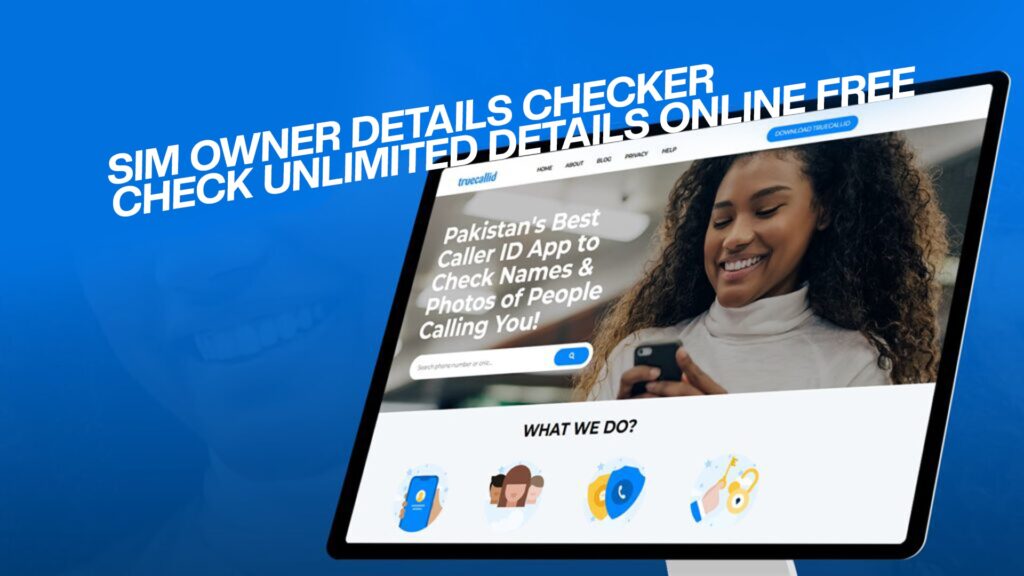
TrueCallID: Pakistan’s #1 Caller ID and Spam Blocking App
In Pakistan, the most trusted and accurate app for this job is TrueCallID.
TrueCallID is not a secret “SIM Owner Details Checker.” It is something better: a powerful protector for your phone. It answers your real need: “Who is calling me, and are they safe?”
What Can TrueCallID Do For You?
1. Smart Caller ID – See Names & Photos Instantly
This is the core feature. When your phone rings, even if the number is not in your contacts, TrueCallID shows you the caller’s name on your screen. If it’s a business, it often shows the business logo or photo. This immediately takes away the fear of the “unknown number.”
2. Automatic Spam and Fraud Detection
This is a lifesaver. TrueCallID has a huge, constantly updated list of numbers reported by millions of users as spam, telemarketers, or fraud. If a known scam number calls you, your screen will show a big red warning: “SPAM” or “FRAUD.” You can reject the call with one tap. This protects you from loan scams, fake bank calls, and phishing attempts.
3. Powerful Number Search
Got a missed call from a strange number? Open the TrueCallID app, type the number in the search bar, and see if it has been identified by the community. It’s like a search engine for phone numbers.
4. Advanced Call Blocking
You can block any number you want. You can also automatically block all numbers marked as spam by the community. This means annoying marketing calls can be stopped forever.
5. Call Recording (Use Responsibly)
For important calls, like discussions with a service provider or doctor’s instructions, you can record the call directly within the app. Remember: Always inform the other person you are recording if the conversation is private, as per ethical and legal guidelines.
6. Flash Messaging
Send free, instant messages to other TrueCallID users, even if you don’t have their number saved. It’s like an SMS, but it works over the internet.
Step-by-Step Guide: How to Use TrueCallID to Check Caller Details
Using TrueCallID is very simple. Just follow these steps:
Step 1: Download the App
Open the app store on your phone.
Android Users: Open the Google Play Store. Search for “TrueCallID”. Tap “Install.”
iPhone Users: Open the App Store. Search for “TrueCallID”. Tap “Get.”
The app is free to download and use.
Step 2: Register Your Number
Open the TrueCallID app. It will ask for your phone number to create an account. This is safe and is only used to identify you in the community. You might receive an SMS code to verify it’s really you. Enter the code.
Step 3: Allow Permissions (This is Important)
The app will ask for some permissions to work properly:
Contacts: This allows the app to see which numbers you have saved (to help build the community phonebook). Your contacts are kept private.
Phone: This allows the app to identify incoming calls and show you the caller’s name on your screen.
SMS (Optional): This helps the app identify spam text messages.
Grant these permissions. This is how the app can protect you.
Step 4: You Are Ready!
That’s it! The next time you receive a call, TrueCallID will work automatically. The caller’s name will appear. If it’s spam, you will see a clear warning.
To search a number manually:
Open the TrueCallID app.
Look for the search icon (usually a magnifying glass).
Type the complete phone number you want to check (e.g., 03001234567).
See the results from the community.
Detailed Comparison: TrueCallID vs. Fake “SIM Checker” Websites
Let’s make this very clear. Here is a table that shows the huge difference:
| Feature | Fake “Free SIM Owner Details Checker” Website | TrueCallID App |
|---|---|---|
| Legality | Illegal. Tries to access or mimic private data against PTA laws. | 100% Legal. Uses public, community-shared information. |
| Safety for You | Very Dangerous. High risk of viruses, scams, and data theft. | Very Safe. A trusted global app, used by millions in Pakistan. |
| Type of Information | False Promise: Private CNIC, Father’s Name, Home Address. | Useful & Public: Caller ID Name, Business Type, Spam Warning. |
| Accuracy | Very Low. Often shows fake, random, or old data. | Very High. Updated in real-time by millions of users. |
| Main Purpose | To invade privacy (which is wrong) and often to scam users. | To protect YOU. Identify calls, block spam, and give you control. |
| Cost | “Free” but can steal your money or data. | Genuinely Free for core features. Optional paid upgrade with no ads. |
| How it Works | Uses scams, fake data, or illegal methods. | Uses a smart, community-powered phonebook. |
| Result for You | Risk of legal trouble, virus infection, and getting scammed. | Peace of mind, a cleaner phone, and protection from fraud. |
No. TrueCallID does not show the live location or home address of a caller. That would be a serious privacy violation. It only shows the name or business associated with the number, as shared by the community.
Yes. You can control your privacy in the app’s settings. You can choose to list your number privately or not appear in the directory at all. The app is designed to protect user privacy while building a useful community service.
If a number is very new or has never been saved by anyone, it might show as “Unknown.” As more people use the app and get calls from that number, its identity will be discovered. You can also help the community by saving a name for a number you have identified.
Yes! TrueCallID works perfectly with all Pakistani networks: Jazz, Zong, Telenor, Ufone, and all others. It works on both Android phones and iPhones.
First, use TrueCallID to block the number. Second, report the number as spam within the TrueCallID app. This helps warn others. Third, if the harassment is serious, you can take the call record (screenshot showing the number) and complain to the FIA Cyber Crime Wing or your local police. They have the legal authority to access the official PTA database for investigation.
Conclusion: Choose Safety Over Curiosity
The dream of a free “SIM Owner Details Checker” that reveals all private data is a dangerous myth. Chasing this myth can lead you to scams, viruses, and legal problems.
But your desire to know who is contacting you is completely valid. In today’s world, you need protection from spam, fraud, and unknown callers.
The solution is not a shady website. The solution is a powerful, legal tool in your pocket. That tool is TrueCallID.
Stop searching for something that doesn’t exist legally. Start using the tool that solves your real problem. Download TrueCallID today. Turn your phone from a source of worry into a protected device. See the name behind the number, stop spam before it rings, and take back control of your calls.
Protect your phone. Protect your peace of mind. Use TrueCallID.