
Have you ever received a call from an unknown number and wondered who it belongs to? Maybe a message came through that looked suspicious, or someone gave you a phone number and you want to verify it is real before you trust them. These are everyday situations, and millions of people across Pakistan deal with them regularly.
The question is simple: who owns this SIM?
Getting the answer used to be complicated. You either had to know someone with access to telecom records, visit a mobile company’s office, or just give up and hope for the best. That is no longer the case. Today, DB Center gives you the ability to check SIM ownership details online, for free, within seconds.
This guide explains everything about SIM ownership verification — why it matters, how the system works, what tools are available, and how to protect your own SIMs from being misused.
What Does SIM Ownership Mean?
When a SIM card is issued in Pakistan, it is registered against the CNIC (Computerized National Identity Card) of the buyer. This means every active SIM in Pakistan is — at least in theory — linked to a real, verified identity.
SIM ownership refers to the name and CNIC on record with the mobile network for a particular phone number. When you check SIM ownership, you are essentially asking: whose identity was used to register this number?
This system exists because of a government directive. Pakistan’s telecom regulator, the Pakistan Telecommunication Authority (PTA), mandates biometric verification for all SIM purchases. No one can legally buy a SIM card without providing their fingerprint, which is matched against NADRA’s national database. The result is that every SIM card should, in theory, be registered to a real person.
In practice, problems still occur — stolen CNICs, unauthorized registrations, SIM swapping fraud — but the system gives you a starting point for verification.
Why Would You Need to Check SIM Ownership Details?
Most people only think about SIM ownership verification when something goes wrong. But being proactive about it is far smarter. Here are the main reasons people look up SIM ownership details.
Identifying Unknown Callers
This is the most common reason. You get a call from a number you do not recognize. It could be a legitimate contact you forgot to save, a recruiter, a delivery person — or it could be a scammer. Checking the SIM ownership gives you a name or at least a region of origin, which helps you decide whether to call back.
Verifying Someone’s Identity
If a person gives you their phone number as part of a business deal, a loan, or a rental agreement, checking the SIM ownership confirms whether the number is actually registered to them. It is a simple cross-check that can catch dishonest people who give you borrowed or anonymous numbers.
Checking for SIM Fraud
Fraudsters sometimes register SIMs using stolen CNICs. If you receive a call claiming to be from your bank, a government office, or a courier company, and something feels off, running the number through a lookup tool can reveal whether the caller is who they claim to be.
Parents Monitoring Contacts
Parents who want to verify who their children are talking to sometimes use SIM ownership lookup tools. Knowing whether an unknown number belongs to a classmate, a family member, or a stranger is useful context.
Employers and Recruiters
Hiring managers and recruiters sometimes verify applicant contact numbers before interviews. A SIM ownership check confirms the number is real and registered — not a temporary anonymous line used to avoid being traced.
Dealing with Harassment
If someone is harassing you through calls or messages, knowing the SIM ownership details gives you information that can support a complaint to the telecom company or to law enforcement.
How to Check SIM Ownership Details Online
There are a few different ways to check SIM ownership in Pakistan. Each has its own strengths and limitations.
Method 1: DB Center — Reverse Phone Lookup
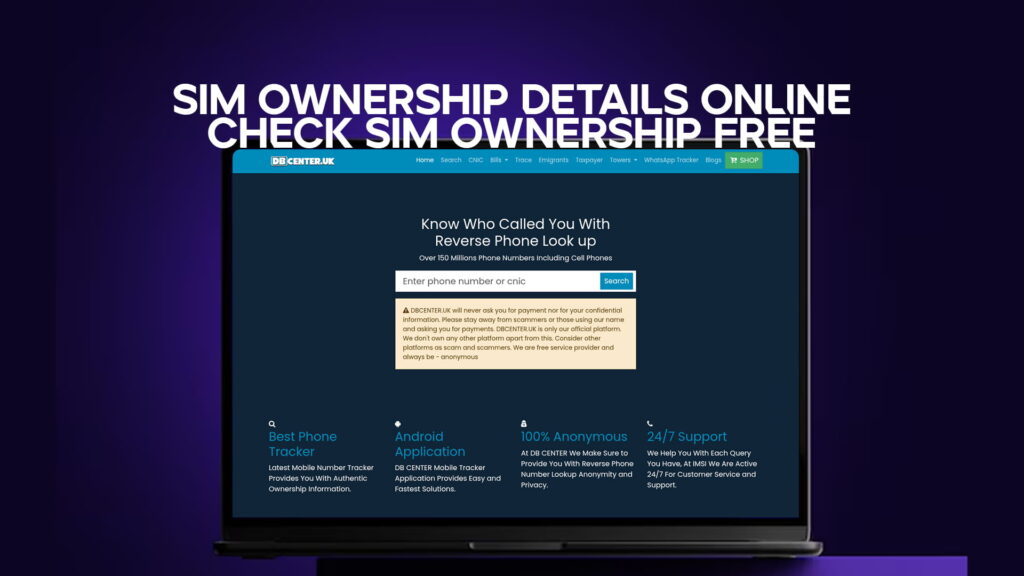
DB Center is a reverse phone number lookup platform with records covering over 150 million phone numbers, including cell phones across Pakistan and internationally.
When you search a phone number on DB Center, the platform returns the name and identity details linked to that number where available. This includes numbers from all major Pakistani mobile carriers — Jazz, Telenor, Zong, Ufone, and Warid.
The process is straightforward:
- Open DB Center on your phone or computer
- Type in the mobile number you want to check
- Hit search
- The system returns the name, location, and other available details linked to that SIM
DB Center is built for exactly this kind of quick lookup. Whether you received a suspicious call, want to verify a contact, or are trying to identify a number before calling back, the platform gives you answers fast.
Method 2: PTA’s Official SIM Verification Portal
The Pakistan Telecommunication Authority runs an official online portal where citizens can check how many SIM cards are currently registered against their own CNIC. This is a self-check tool — it tells you about SIMs on your identity, not someone else’s.
To use it:
- Go to the PTA’s official website or SMS portal
- Send your CNIC number to 668 (a free SMS service available on all networks)
- You will receive a reply showing all active SIM cards registered under your CNIC
This is an important service for spotting unauthorized SIMs. If the reply shows a number you did not personally register, someone may have used your identity to obtain a SIM card — and that needs to be reported immediately.
Method 3: Calling Your Mobile Carrier
If you want to verify who owns a number within the same network, you can contact the customer service of that network — Jazz, Telenor, Zong, Ufone, or Warid. However, telecom companies generally do not disclose personal customer information to third parties due to privacy rules. This method works mostly for verifying your own SIM registration status.
Method 4: CNIC Cross-Check via NADRA
If someone has given you their CNIC number along with their phone number, you can verify both. Use NADRA’s SMS service (send CNIC number to 7000) to confirm the CNIC is valid, and then cross-reference the name with the SIM ownership data from DB Center. When both sources point to the same person, you have strong confirmation of their identity.
How Many SIMs Can One CNIC Hold in Pakistan?
Pakistan’s PTA has a strict limit on how many SIM cards a single CNIC can have. As of current regulations:
- Pakistani nationals can have a maximum of 5 SIM cards in total across all networks
- Foreign nationals are limited to 1 SIM card
This limit was put in place specifically to prevent criminals from registering dozens of anonymous numbers under stolen identities. Before this rule, some CNICs had hundreds of SIMs registered against them — used for spam, fraud, and other illegal activities.
If someone’s CNIC already has 5 SIMs registered, they cannot buy another one without first deactivating an existing SIM at a network franchise.
What to Do If You Find Unauthorized SIMs on Your CNIC
This is more common than most people realize. Many Pakistanis have discovered — through the PTA’s SMS check — that their CNIC is linked to SIM cards they never personally bought.
This usually happens when:
- Your CNIC was lost or stolen and used without your knowledge
- A mobile shop employee registered an extra SIM using your CNIC during a legitimate purchase
- Someone photocopied your CNIC and used it to register a SIM elsewhere
If this happens to you, here is what to do.
Step 1 — Confirm the unauthorized SIM. Use the PTA portal or SMS to 668 to see all SIMs registered on your CNIC and identify which ones you did not register yourself.
Step 2 — Visit the telecom company. Go to the nearest franchise office of the network that issued the unauthorized SIM. Bring your original CNIC and biometric information. Ask them to deactivate the SIM and file a complaint.
Step 3 — File a complaint with PTA. You can report unauthorized SIM registration directly to PTA through their official complaint portal. PTA takes these cases seriously, especially when they involve ongoing fraud.
Step 4 — Inform NADRA. If your CNIC was stolen, report it to NADRA immediately so they can flag the number and alert agencies if it is used for further registrations.
Step 5 — File an FIR if needed. If you have reason to believe the unauthorized SIM was used for criminal activity — fraud, extortion, harassment — file a First Information Report (FIR) with your local police and also report to FIA’s cybercrime wing.
Common Scams That Involve Fake or Stolen SIMs
Understanding the types of fraud that rely on SIM misuse helps you stay alert.
SIM Swapping
This is one of the most damaging telecom frauds. A criminal contacts your mobile network, pretends to be you, and requests a new SIM for your number. Once they have the new SIM, your original SIM stops working and they gain access to your calls and SMS — including one-time passwords used for banking and email logins.
If your SIM suddenly stops showing a network signal, call your carrier immediately from another phone.
OTP Fraud
Scammers use fake or stolen SIMs to receive one-time passwords (OTPs) from banks and financial apps. They either trick victims into sharing OTPs over the phone, or they use SIM swap attacks to intercept them directly.
WhatsApp and Account Takeovers
WhatsApp accounts are tied to phone numbers. If someone gains access to a SIM — even temporarily — they can take over the WhatsApp account linked to that number, access your contacts and chat history, and impersonate you to scam your contacts.
Prize and Lottery Scams
These calls usually come from random numbers, sometimes appearing to be from well-known companies or government offices. The caller claims you won a prize and asks for personal details or a small processing fee. Checking the SIM ownership of such numbers through DB Center often reveals the number is registered to a completely different person than the one claiming to represent a known organization.
How DB Center’s Reverse Phone Lookup Helps You Stay Safe
The core strength of DB Center is speed and coverage. With over 150 million phone number records, it handles a wider range of numbers than most local tools.
What sets it apart for Pakistani users:
It covers all major networks. Whether the number is Jazz, Telenor, Zong, Ufone, Warid, or even a landline, DB Center’s database includes records across carriers.
It works for international numbers too. If you receive calls from abroad — from numbers claiming to be overseas Pakistani relatives or international businesses — you can look those up as well.
It connects phone numbers to identity details. Where available, the search results include more than just a name. You may also see linked addresses, alternate numbers, and other associated records.
It is fast and accessible. No app downloads or sign-ups required to run a basic search. You open the site, type in the number, and get results.
For anyone regularly dealing with unknown callers — which in Pakistan means most mobile users — having DB Center bookmarked is simply practical.
Tips for Protecting Your Own SIM Registration
You cannot always control what others do, but you can take steps to keep your own SIM and identity secure.
Check your SIM registration status every few months. Send your CNIC to 668 and confirm the list of registered SIMs matches what you actually own. It takes about 30 seconds.
Do not hand your CNIC to just anyone. Mobile shop employees sometimes take CNICs to the back to “process” your SIM. Watch what they do. A legitimate sale takes biometric verification at the counter — not a private room.
Use a PIN or lock on your SIM. Most phones allow you to set a SIM PIN. This prevents someone from putting your SIM in another device and using it if your phone is stolen.
Enable two-factor authentication on your financial apps — but not SMS-based. If your bank or app supports authenticator apps (like Google Authenticator), use those instead of SMS-based OTPs. SMS can be intercepted through SIM fraud; app-based authentication cannot.
Report strange behavior fast. If your phone suddenly loses signal with no explanation, or if contacts tell you they received strange messages from your number, assume SIM fraud and act immediately.
Yes. DB Center offers free reverse phone lookups that can return the name and details linked to a SIM card. For checking SIMs registered under your own CNIC, you can also use PTA’s free SMS service — send your CNIC number to 668 from any Pakistani mobile and you will receive the list of active SIMs registered in your name at no charge.
Send your 13-digit CNIC number to 668 via SMS from any Pakistani mobile network. PTA’s system will reply with a list of all SIM cards currently registered against your identity. If any of them are unfamiliar, contact the relevant telecom company and report the unauthorized registration.
Looking up a phone number for legitimate purposes — identifying an unknown caller, verifying a business contact, or checking before responding to a suspicious message — is legal and reasonable. The issue arises if someone collects or misuses personal information for harassment, fraud, or any criminal purpose. Tools like DB Center are designed for personal safety and verification, and using them responsibly is perfectly legal.
This is SIM fraud and you need to act quickly. First, confirm the unauthorized SIM via the PTA SMS service. Then visit the relevant telecom company to file a deactivation request and complaint. Also report the case to PTA through their official complaint portal. If any financial fraud is involved, file an FIR with local police and contact FIA’s cybercrime unit.
Yes. DB Center’s database covers over 150 million numbers, including international ones. If you receive a call from a foreign number — whether it is a +44 UK number, a +1 US number, or any other international code — you can run it through DB Center to see what information is available about the caller. This is useful for identifying overseas scam calls that often target Pakistanis with fake prize or visa offers.
Conclusion
SIM ownership verification is no longer a service only available to telecom insiders or law enforcement. Anyone with internet access can now check SIM details online, identify unknown callers, and confirm whether a phone number belongs to the person presenting it.
For Pakistani mobile users, the combination of PTA’s official tools and DB Center’s reverse phone lookup covers most everyday needs. Whether you want to identify a mysterious caller, verify a contact before a financial deal, or check that no unauthorized SIMs are running on your CNIC, these tools give you fast, practical answers.
The bottom line: do not leave your safety to guesswork. A 30-second check can tell you a lot about who is really on the other end of that call.